

Easily connect your ServiceAgent.ai account with Nutshell CRM to automatically log all your calls (completed and missed) as activities - with Call Summary, Action Items, and other caller details.
What This Integration Does
Once connected, every call handled through ServiceAgent - whether completed or missed - will be automatically logged in your Nutshell CRM under the appropriate contact or lead.
🔧 How to Set Up the Integration
Follow these simple steps to connect ServiceAgent.ai to your Nutshell CRM.
Step 1: Locate Your Nutshell API Key
Log into your Nutshell CRM account.
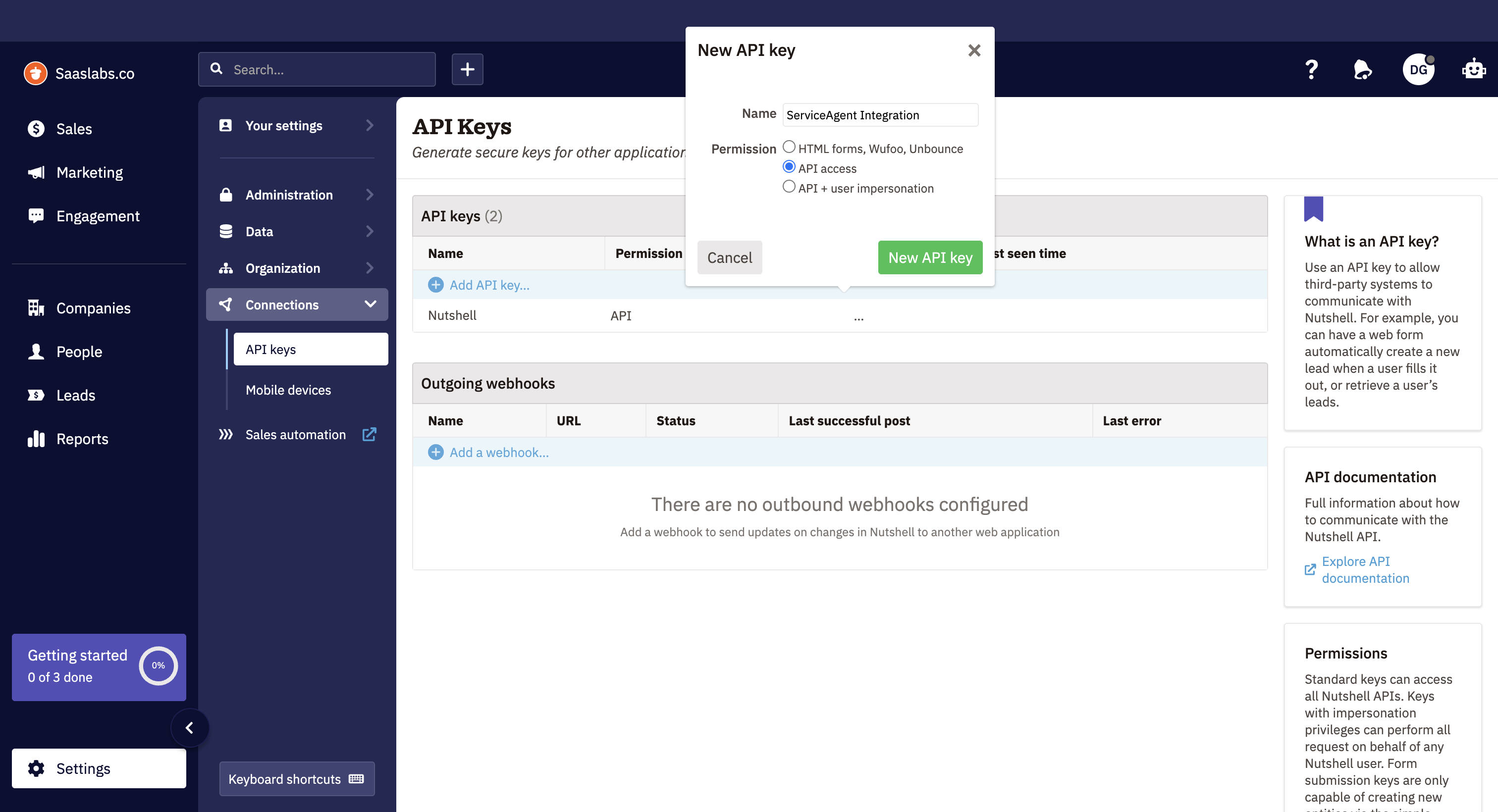
Click your profile icon → Settings → Connections → API Keys.
If an API key already exists - copy your API Key.
💡 Don’t have an API key yet? Click “Add API Key” in Nutshell and label it something like
ServiceAgent Integration. Give "API access" Permission to this API key.
Step 2: Provide Your Email and API Key to ServiceAgent.ai
Go to your ServiceAgent.ai dashboard.
Navigate to Integrations → Nutshell CRM.
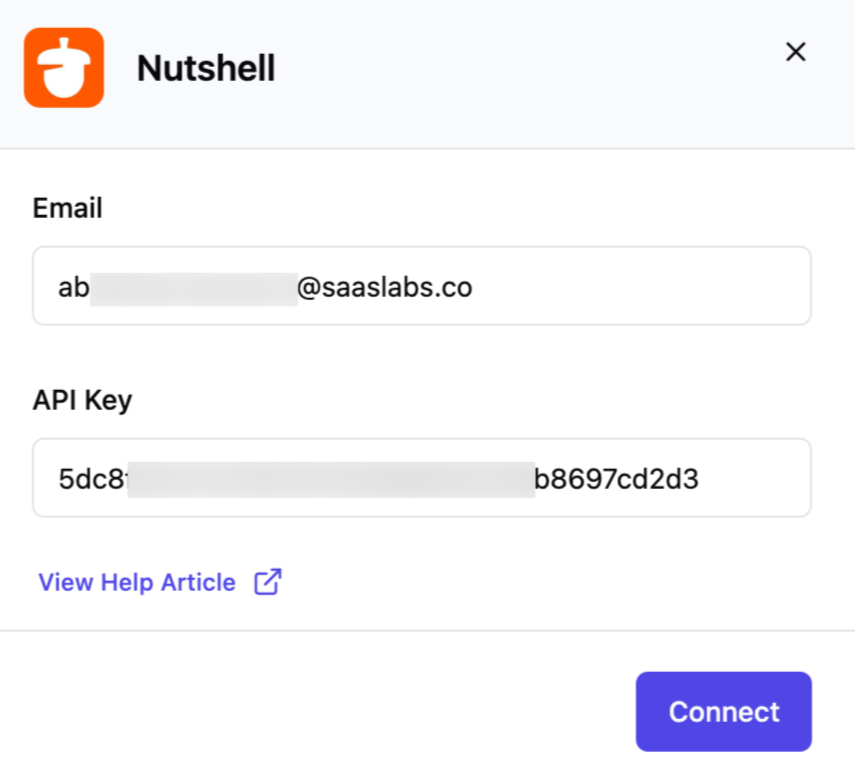
Paste your Nutshell Email and API Key into the form.
Click Connect.
✅ Once connected, you'll see a confirmation message and logging will begin automatically.
📈 What Happens Next?
From this point forward, all calls handled via ServiceAgent will be recorded in your Nutshell CRM:
Logged as Activities under the appropriate contact/lead (based on the phone number match).
Each call activity will include:
📞 Customer Number
☎️ Agent Name & Number
📄 Call Type
🕒 Call Duration
📝 Call Summary
✅ Action Items
🔖 Tags
🔁 Conversation Link
- 📅 Call Timestamp
🛠️ Troubleshooting
Call logs not showing in Nutshell?
Ensure your API key is valid and hasn’t expired.
Check that the email used matches your Nutshell account.
Make sure contact/lead phone numbers in Nutshell are in E.164 format (+1xxx...).
🙋 Need Help?
Contact our support team anytime at help@serviceagent.ai or via live chat on your dashboard.