

Easily connect your ServiceAgent.ai account with Asana to automatically log all your calls (completed and missed) as tasks - including Call Summary, Action Items, and other caller details - into your Asana workspace.
What This Integration Does
Once connected, every call handled through ServiceAgent - whether completed or missed - will be automatically logged in your Asana project as a task, keeping your team aligned and follow-ups on track.
🔧 How to Set Up the Integration
Follow these simple steps to connect ServiceAgent.ai with Asana.
Step 1: Locate Your Asana Project ID
Log into your Asana workspace.
Navigate to the project where you would like to log the calls after integration.
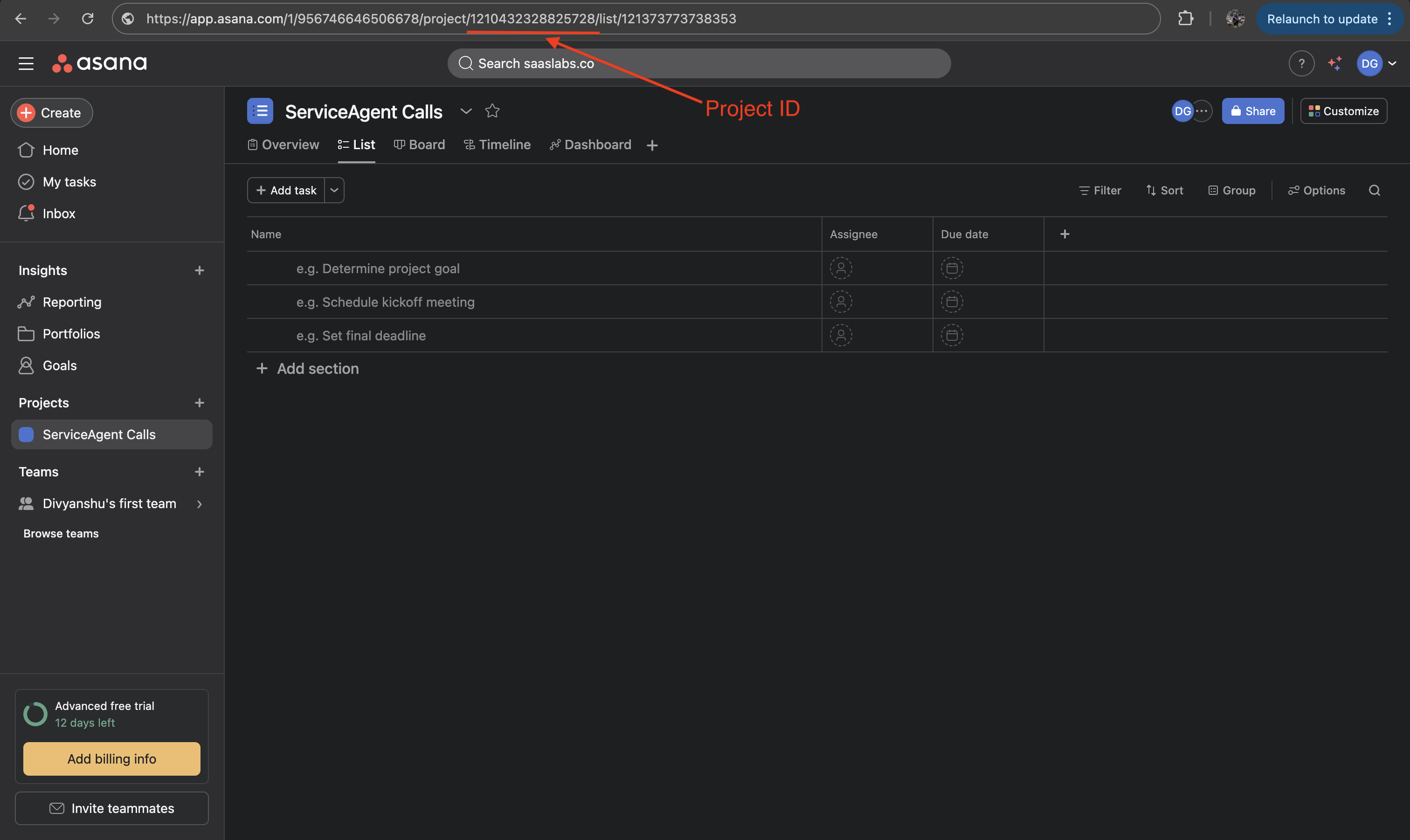
The URL would look something like - https://app.asana.com/1/956746646506678/project/{YOUR_PROJECT_ID}/list/121373773738353
Copy the Project ID
💡 Need help finding your Project ID? Check out the image below!
Step 2: Generate a Personal Access Token (PAT) in Asana
Log into your Asana account.
Go to Settings → Apps→ View Developer Console → My apps
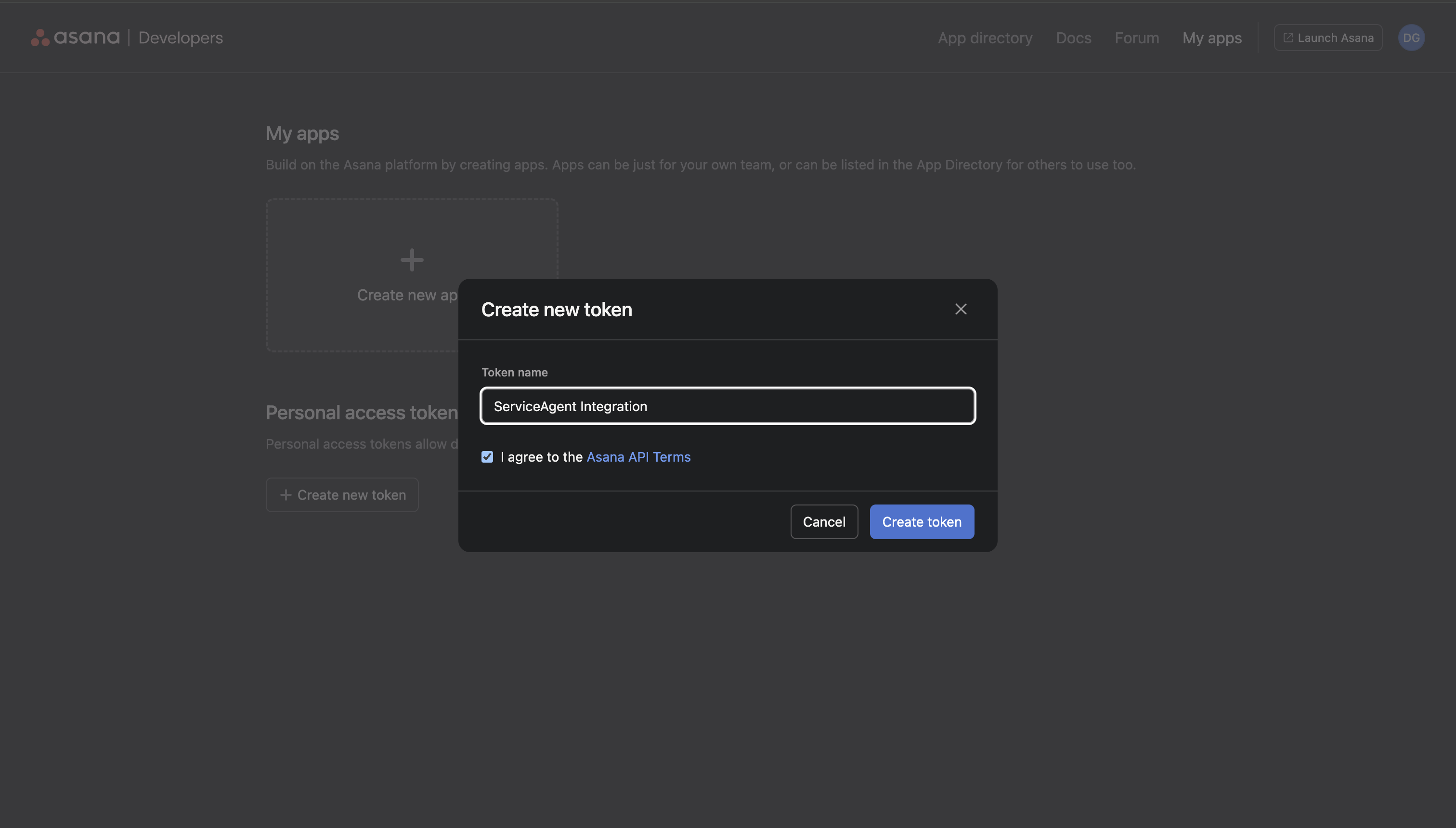
Click “+ Create New Token”.
Copy the Personal Access Token once generated
💡 Check out the image below!
Step 3: Connect Asana to ServiceAgent.ai
Go to your ServiceAgent.ai dashboard.
Navigate to Integrations → Asana.
Enter:
Your Asana Email
Your Personal Access Token
Project ID (where tasks should be created)
Click Connect.
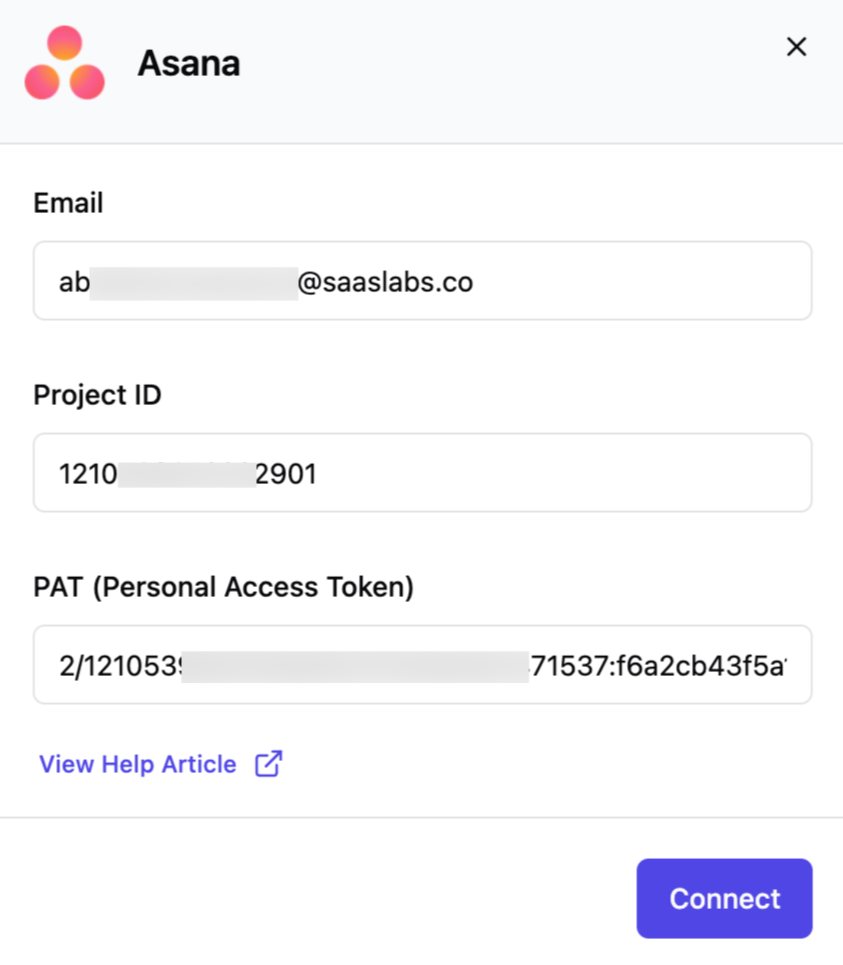
✅ Once connected, you'll see a confirmation message and logging will begin automatically.
📈 What Happens Next?
After integration, every call through ServiceAgent will be logged in your selected Asana project as a new task, containing
📞 Customer Number
☎️ Agent Name & Number
📄 Call Type
🕒 Call Duration
📝 Call Summary
✅ Action Items
🔖 Tags
🔁 Conversation Link
- 📅 Call Timestamp
🛠️ Troubleshooting
Call tasks not showing in Asana?
Make sure your Project ID is correct and belongs to the selected workspace.
Verify that your Personal Access Token is active and hasn’t been revoked or deleted.
🙋 Need Help?
Contact our support team anytime at help@serviceagent.ai or via live chat on your dashboard.