
Easily setup webhooks in ServiceAgent.ai account to automatically receive data at various events in ServiceAgent
🔧 How to Set Up the Webhooks
Follow these simple steps to setup webhooks in ServiceAgent.ai.
Step 1: Go to Developers page
Step 2: Provide Your Callback url to ServiceAgent.ai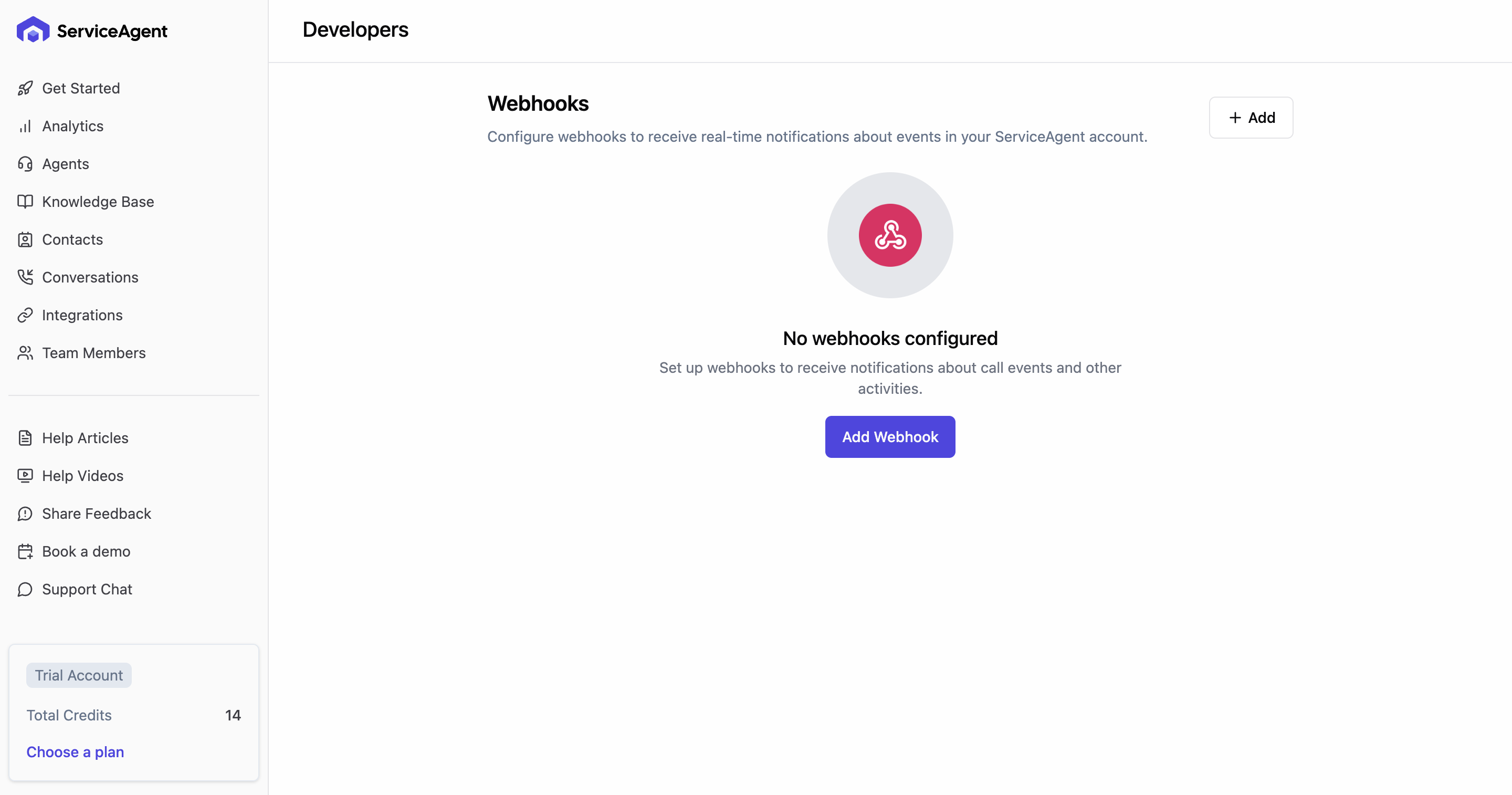
Provide CallbackUrl to ServiceAgent.ai
Select the event for which you want data.
Click Add.
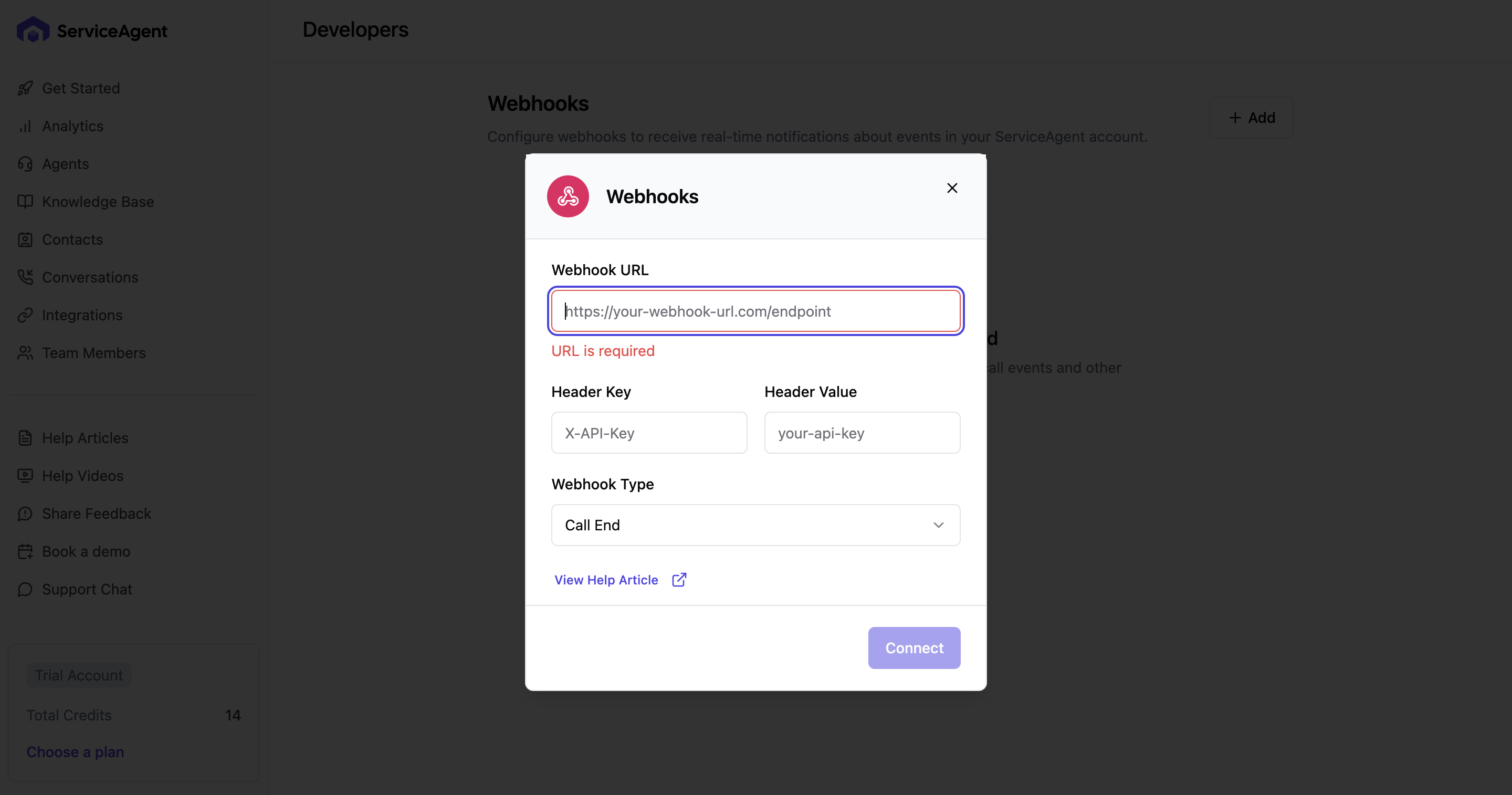
✅ Once connected, you'll see a confirmation message and logging will begin automatically.
📈 What Happens Next?
From this point forward, all calls handled via ServiceAgent will be sent to your callback url.
🛠️ Troubleshooting
Not receiving the data on your url
Provide Authentication header key and value in the field if it is protected.
🙋 Need Help?
Contact our support team anytime at help@serviceagent.ai or via live chat on your dashboard.